Auxiliary Models
Auxiliary task models handle background chores such as titling conversations, choosing a cover icon, and running lightweight work without interrupting the main chat. Some tasks prepare inputs before the main reply; others add follow-up output afterward.
What Auxiliary Models Do
- Title generation – Creates concise, descriptive titles for the conversation list.
- Icon synthesis – Chooses an emoji-style icon that reflects the conversation topic.
- Web search prep – When browsing is enabled, decides whether to search and emits up to three queries via the Web Search tool before the main model runs; this requires a tool-capable model.
- Vision preprocessing – For image attachments without text, converts them to
[Image Description]text, adds OCR/QR results, and feeds them to non-visual models.
When They Run
- Before the reply
- Image attachments without a
textRepresentationare described by the visual auxiliary model unless “Skip visual tasks if possible” is on and the chat model already supports vision. - When browsing is enabled, the task model and Web Search tool decide
search_requiredand generate queries; sending with browsing enabled is blocked if no tool-capable model is available.
- Image attachments without a
- After the reply
- Title and icon refresh run only while auto-rename is on. Manual title/icon edits or manually generating a new title/icon from the conversation menu turn auto-rename off; the same menu lets you regenerate on demand.
Configuring Auxiliary Models
Open Settings → Inference and locate the default model section:
- Use conversation model – Reuse the active chat model for auxiliary prompts. Disable to pick a dedicated model.
- Task model – Used for title/icon generation and web-search query generation; choose a fast, low-cost model. Apple Intelligence can be selected when available.
- Visual auxiliary model – Vision-capable model used to pre-process images when the primary model cannot. Apple Intelligence is not supported here; pick a model with visual capability.
- Skip visual tasks if possible – When the chat model already supports vision, skip the visual pre-processing step to avoid double cost (but image text will not be generated if you later switch to a non-visual chat model).
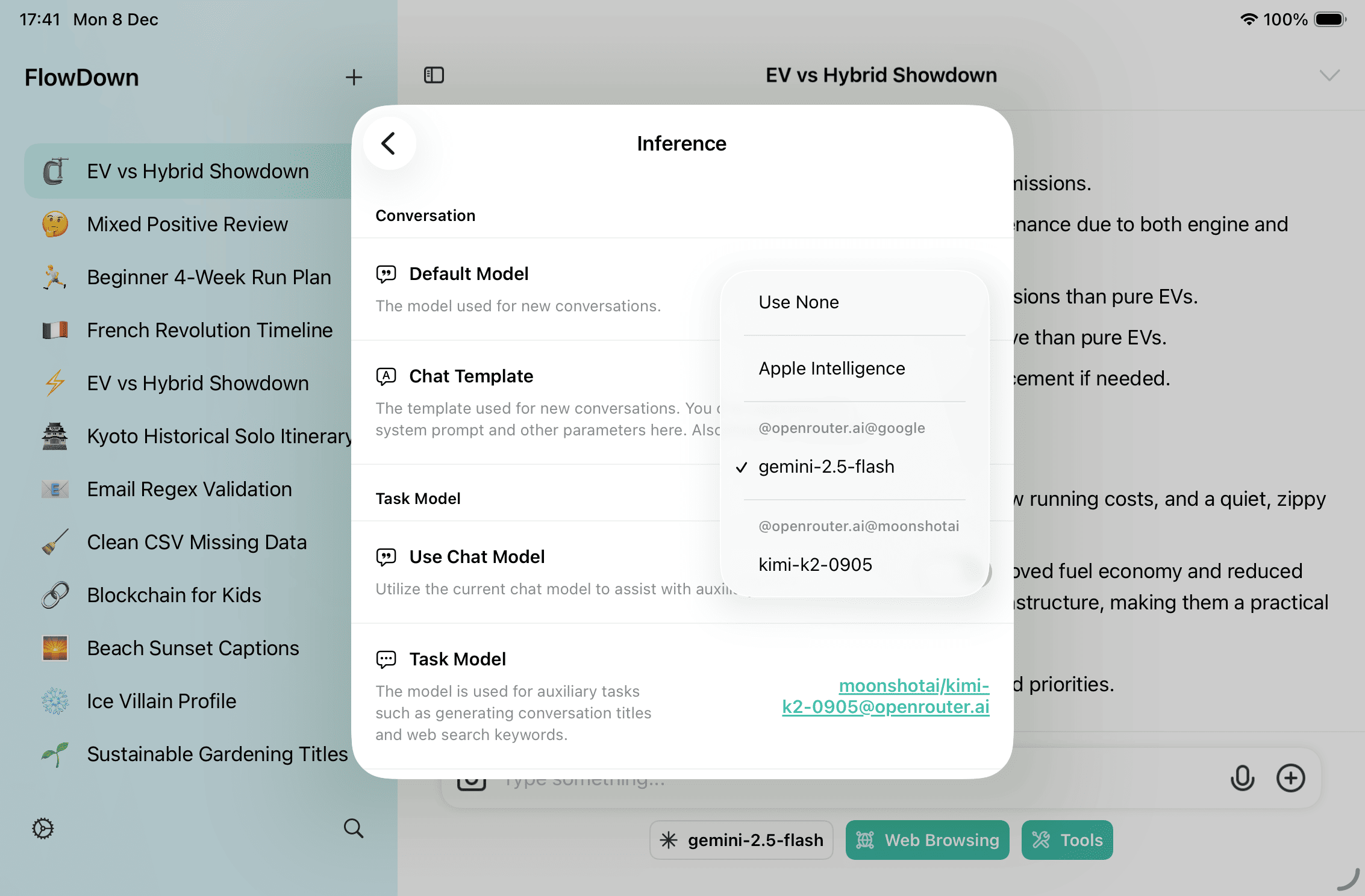
Changes take effect immediately on the current device.
Where Each Model Is Used
| Slot | What it does | Notes |
|---|---|---|
| Task model | Conversation title, icon, and web-search query generation | Required when browsing is enabled and tools are off; pick a fast, low-cost text model. |
| Visual auxiliary model | Image description + OCR/QR fallback for non-visual chats | Only needed when the chat model lacks vision; Apple Intelligence is not supported. |
| Chat model (when “Use conversation model” is on) | Can take over task model duties | Uses the active chat model; turn off if you want a dedicated lightweight task model. |
This document may lag behind rapid code changes. When in doubt, rely on the in-app settings descriptions and the current release notes.
Best Practices
- Prefer a small model for text-only auxiliary work to keep updates fast and inexpensive.
- Keep a task model configured if you plan to use browsing; otherwise sending with browsing enabled will be blocked.
- Leave “Skip visual tasks if possible” on when the chat model understands images; turn it off when you want deterministic text extraction (image description + OCR/QR) for non-visual chats.
- If auto titles/icons look off, switch to a stronger task model or regenerate from the conversation menu; manual edits disable further auto-renames.