FAQ
This page collects common FlowDown questions. If you still need help, see the Issue guide or join Discord.
Purchase & Trials
Is there a trial before paying?
- Yes. Join the Discord community or visit GitHub to get the latest TestFlight link. You can also compile the project yourself.
- The app includes complimentary inference service, but availability is not guaranteed. Please configure your own provider for long-term use.
Will there be future promotions or free periods?
- The National Day 2025 free period ended on 2025-10-06. Future promotions will be announced via the in-app changelog and social channels.
Pricing: We plan to make FlowDown free next year. As more developers join and core features mature, maintenance costs drop, so we only need to cover essentials (domain, server, docs site, developer accounts). Before going free, pricing will step down in phases. Conversations and chat features stay free; only new personalization features will require a subscription. See the pricing schedule on the App Store page for details.
Sync & Data
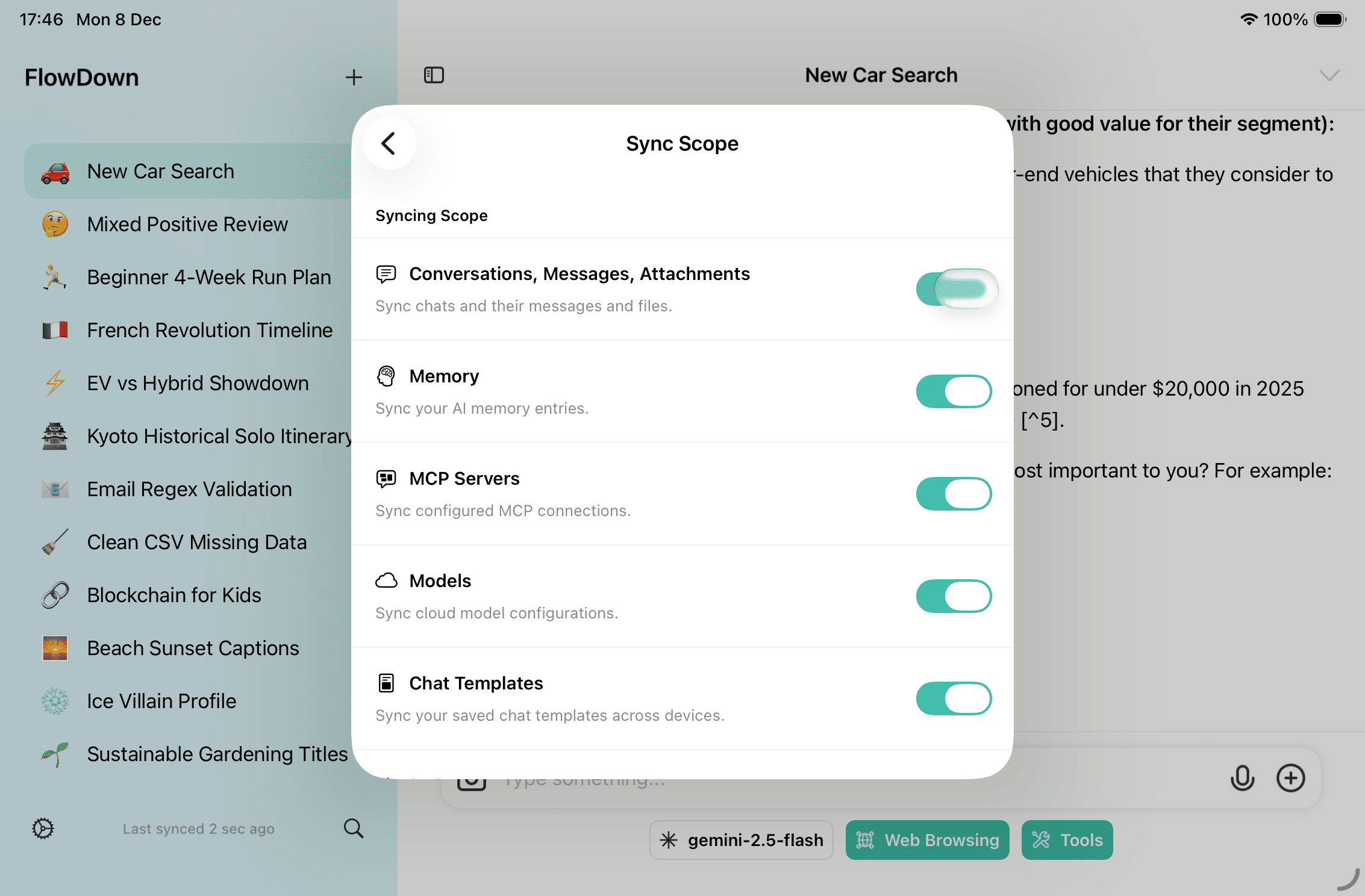
How do I enable iCloud sync?
- Sign in with iCloud, then turn on Settings → Data Control → iCloud Sync. If you hit issues, use “Full Refresh / Reset Sync State” on the same page; still stuck, export logs under Settings → Support.
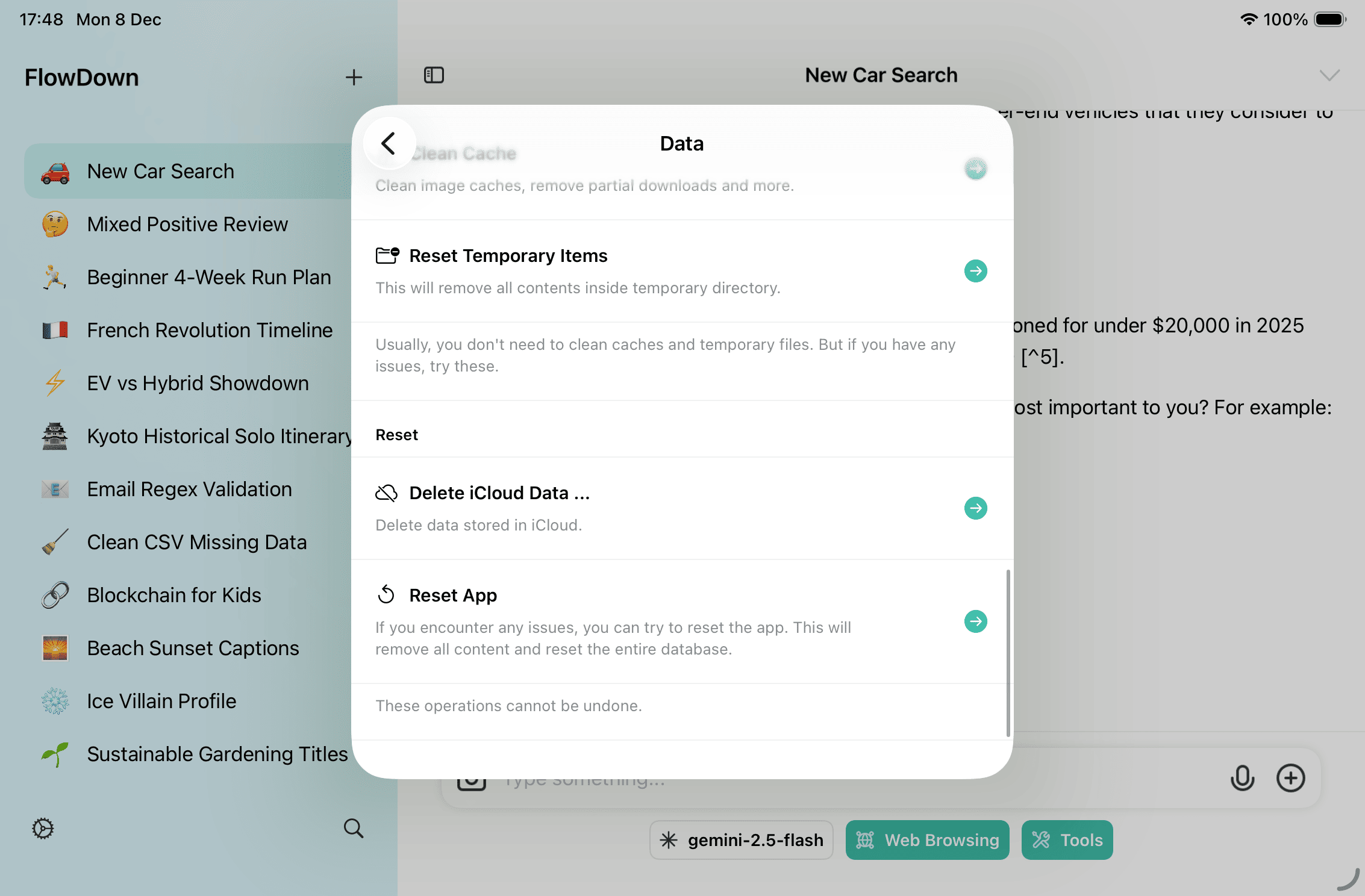
- See Data Backup & Reset for detailed steps and safeguards.
Can I back up or reset data?
- Yes. Follow Data Backup & Reset for current steps and cautions. Always export a backup before upgrades or rollbacks.
Models & Inference
Which models are supported?
- Apple Foundation Models (when Apple Intelligence is available).
- Pollinations AI with automatic catalog updates.
- Any OpenAI-compatible service, such as OpenRouter.
How do per-model settings apply?
- Each model profile can set temperature, context length, custom request bodies, and auxiliary behavior; changes affect only that profile.
- The immersive layout only changes how the UI looks; it does not affect model output.
Tools & Automation
How do I adjust tool availability quickly?
- Long-press the composer action bar to open the tool quick menu.
- Full settings are under Settings → Tools, where you can pick the search engine and require confirmation prompts.
What automation options exist?
- Built-in tools cover calendar planning, web search/scraping, location (iOS/iPadOS), URL enrichment, and memory management.
- MCP servers add remote tools; test connections under Settings → Tools → MCP Servers.
- Apple Shortcuts provide asking models, setting default models, summarizing notes, and image-in prompts on iOS 18/macOS 15.
Connectivity & Compliance
Do you provide third-party credentials or tutorials?
- No. FlowDown never distributes third-party credentials.
Can I self-host?
- Yes. Any OpenAI-compatible gateway works. Mind connectivity and rate limits.
Troubleshooting
The app reports repeated sync failures. What should I do?
- Turn off sync under Settings → Data Control, then choose Reset Sync State.
- Re-enable sync, wait for the indicator to turn green, then try again.
- If the issue persists, export sanitized logs and share them with the support team.
Where can I find diagnostic logs?
- Go to Settings → Support, export logs, remove sensitive information, and attach them to your report.