Welcome to FlowDown
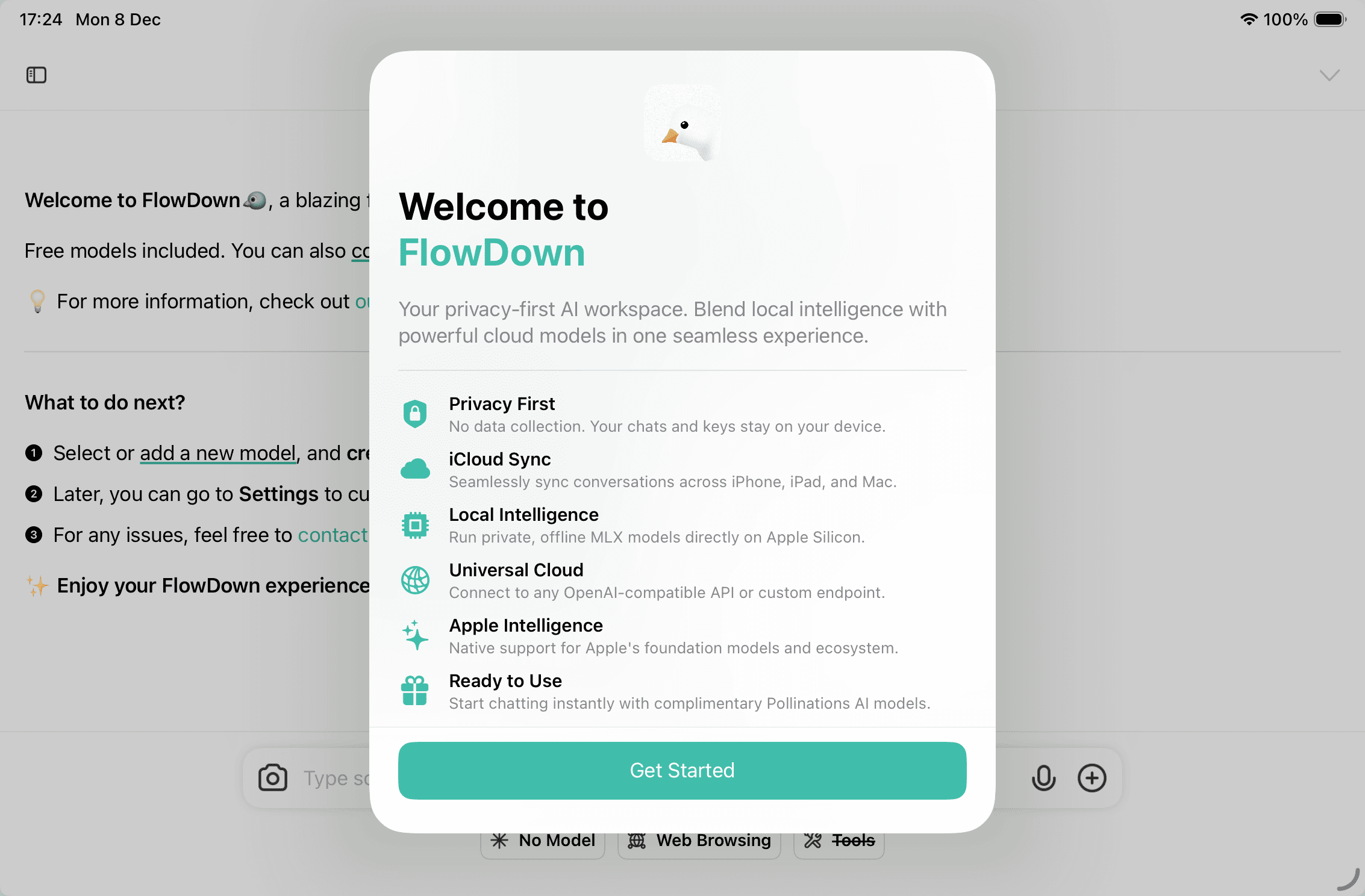
FlowDown is a privacy-first AI workspace that blends local inference with OpenAI-compatible services to deliver a smooth, high-quality experience.
Installation Guide
We recommend installing the production build from the App Store for the best experience. Advanced users can also build from source on GitHub.
About FlowDown
FlowDown aims to balance a lightweight interface with powerful model capabilities. Whether you need everyday Q&A or want to explore advanced features of new models, you can switch freely among on-device MLX, Pollinations, Apple Intelligence, and self-hosted endpoints.
We take privacy seriously. Your data stays on your device by default, with optional iCloud sync when you choose.
Quickstart
The app includes complimentary cloud models from pollinations.ai so you can get started immediately. FlowDown automatically fetches the model list and labels free endpoints for tool, vision, and audio support.
Note: Free endpoints may have limited capabilities and slower refresh cycles. For a more stable, efficient experience, configure your own endpoints or local models in Settings → Models.
Feedback & Privacy
Always sanitize feedback before sending. Do not upload service credentials or personal data—blur sensitive fields in screenshots. See the Privacy Policy for details.
Key Features
- Immersive experience: Polished interface with smooth Markdown rendering.
- Multi-device sync: CloudKit keeps conversations, model profiles, memories, and MCP services aligned across iPhone, iPad, and Mac, with manual refresh and scoped control.
- Hybrid model ecosystem: Native support for Apple Intelligence, on-device MLX models, Pollinations (with auto capability tags), and any OpenAI-compatible API with custom headers.
- Flexible configuration & sharing: Set temperature, context length, request body, and auxiliary behavior per model; import/export
.fdmodelfiles or drag configurations to share. - Memory & automation: Proactive memory injection and Shortcuts triggers. Titles and icons are generated automatically to reduce repetitive steps.
- Powerful toolchain: Calendar management, web search/scraping, location services, URL preview, and MCP toolchains keep complex workflows automated.
- Shortcuts integration: Ask, summarize, or create conversation links via Shortcuts (image input on iOS 18/macOS 15), plus exports for conversations, memories, databases, and logs.
Version Comparison
FlowDown offers two tracks: the continually updated FlowDown App Store release and the archived FlowDown Community edition. Move to the App Store build for CloudKit sync, modern UI design, and ongoing security updates.
| Feature | FlowDown (App Store) | FlowDown Community |
|---|---|---|
| Chat with AI & Markdown | ✅ | ✅ |
| iCloud sync & backups | ✅ | ❌ |
| Immersive interface | ✅ | ❌ |
| Per-model temperature & body | ✅ | ❌ |
| MLX on-device + Apple FM | ✅ | ❌ |
| Pollinations auto model parsing | ✅ | ❌ |
| Visual reasoning & attachments | ✅ | ⚠️ (legacy) |
| MCP + advanced tools | ✅ | ❌ |
| Open source | ✅ | ✅ |
Join the Community
Share feedback through:
- Discord Community
- GitHub Issues
- In-app Settings → Support → Export Logs (send via email with sensitive data removed)
License Information
- FlowDown is licensed under AGPL-3.0. See the LICENSE file for the full text.
- FlowDown Community is licensed under MIT.
Artwork and resource files are not licensed for reuse. For a commercial FlowDown license, please contact us.
© 2025 FlowDown Team (@Lakr233). All rights reserved.